
Sierra Chart Mastery Course
Become an Expert User in Record Time

About Sierra Chart
Sierra Chart is a seriously powerful trading platform packed with tons of features and insane customization options. Its flexibility and rock-solid performance make it a favorite among pro and advanced traders who want total control over the platform’s settings.
But that same power is exactly what scares away most beginners. The initial setup is intimidating, and it takes real time and effort to get comfortable with it.
Plus, let’s be honest — the default interface looks pretty dated and not very modern, which is a big turn-off, especially for younger traders. Just take a look:
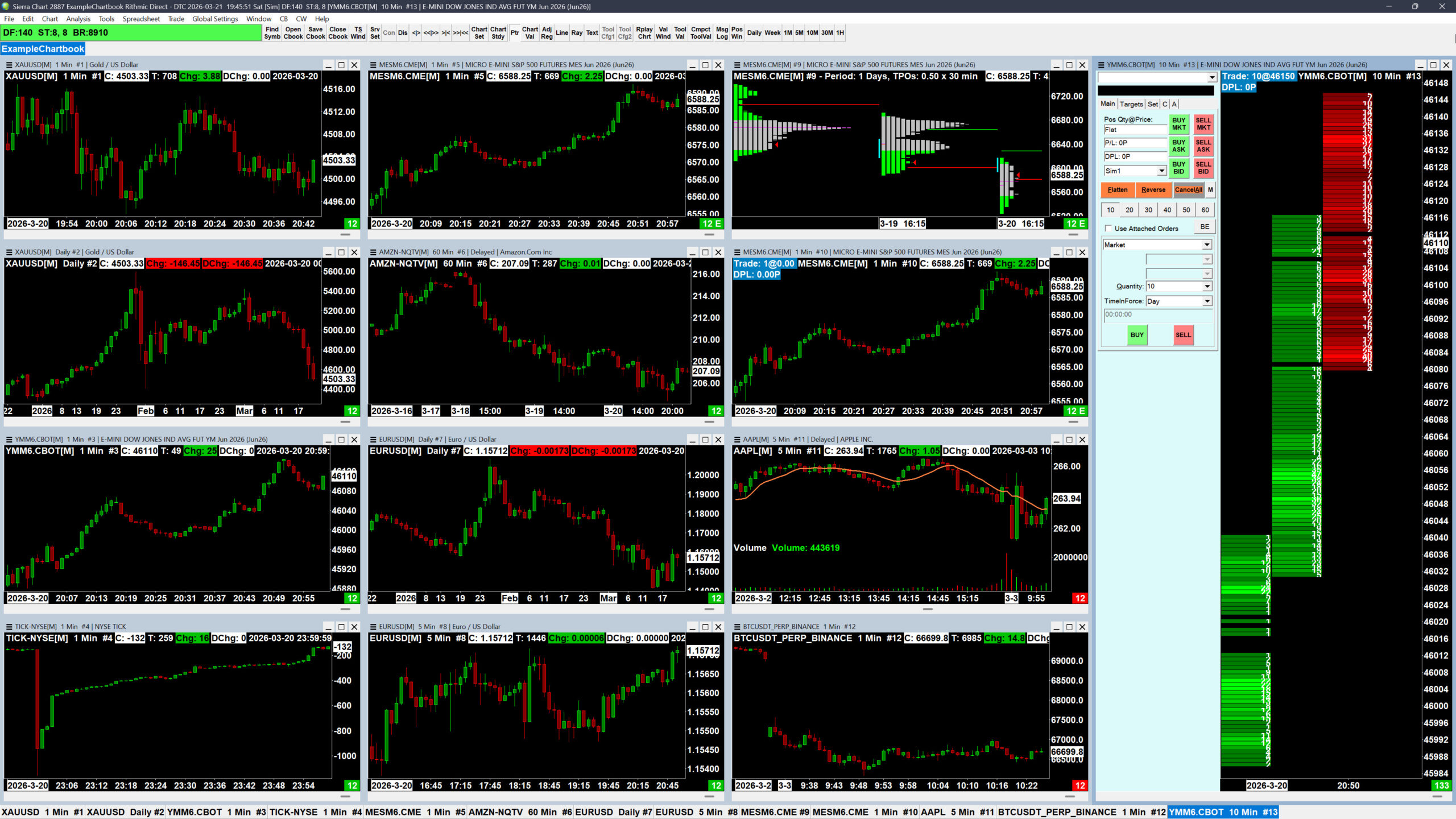
Don’t let that stop you, though. Yeah, there’s a learning curve, but once you get past it, Sierra Chart is actually super intuitive for what you need — and a lot of people end up wondering why they ever used anything else.
Course Details
Most new Sierra Chart users take weeks — sometimes months — just to get comfortable and set everything up the way they want. Even then, a ton of powerful features stay hidden and unused.
This course is built for traders who refuse to waste time fumbling around and want to hit expert level fast.
You’ll learn how to effectively use Sierra Chart for analysis, trading, and backtesting (replaying market data), plus how to customize every element so it visually fits your style and workflow perfectly.
If you’re making the switch from TradingView, you’ll be pleased to know that the video tutorials in this course also show you how to achieve a nearly identical look and feel to what you’re used to. This will make your transition to Sierra truly easy and seamless.
However, if you don’t want to spend hours on setup and would rather get started with the platform quickly, here’s the best part: The course includes a configuration file that instantly transforms your Sierra Chart environment into a TradingView-like setup. Plus, it includes several preset color themes (dark mode included), so you just pick one and get right to work.
The course is 100% practical — no fluff theory, just step-by-step guides, workflow speed tips, and fixes for the most common trader headaches.
By the end, you’ll handle Sierra Chart quickly, confidently, and at maximum efficiency.
Who This Course Is For
- Traders of all levels who want to learn how to use the Sierra Chart platform for effective analysis and trading.
- Existing Sierra Chart users wanting to unlock all the platform's features.
- TradingView users considering switching to a professional trading platform.
- For anyone who wants to take advantage of the absolute best software for manual backtesting.
Requirements
No special skills or prior experience are required to successfully complete the course. However, students are expected to have a basic understanding of how to use a PC or Mac.
It is also helpful if they understand the basics of trading and how futures, forex, CFDs, and stocks work.
What You'll Get
- Sierra Chart Video Tutorials
- Sierra Chart Configuration Files
- Access to the Sierra Chart community on the Backtesting Club Discord
Sierra Chart Video Tutorials
Here is the current list of video tutorials available in the course:
- Account Creation and Service Package Selection (6:45)
- Setting Up Trading and Data Services (21:09)
- Changing Sierra Chart’s Default Fonts (4:15)
- Customizing Control Bars (11:18)
- Customizing Windows and Chartbooks (23:25)
- Customizing Charts (14:27)
- Customizing Righ-Click Menu (5:50)
- Replicating TradingView Control Scheme
- Working with Multiple Monitors or Desktops
- Linking Charts
- Using and Customizing Chart Drawing Tools
- Using and Customizing Chart Studies
Meet Your Teacher

Hi, there.
My name is Daniel Jurnik, and I am a trader and founder of the Backtesting Club community.
Since 2007, my work has centered on discovering and developing various types of trading strategies focused on forex, stock, and futures markets. My trading philosophy emphasizes simple, systematic, and data-driven approaches that provide me with a strong edge in the markets.
Over the years in this industry, I have gained extensive experience with discretionary and automated trading of scalping, intraday, and swing strategies. Now I’m helping novice and unsuccessful traders discover the real practices and principles that lead to profitable trading.
If you want to take advantage of my knowledge and experience, join our club, where I share everything I know in a no BS format.
Get the Sierra Chart Mastery Course
The Sierra Chart Mastery Course is available as part of the Backtesting Club membership. If you’re interested, don’t hesitate to join us!
Frequently Asked Questions
Do you provide help with setting up Sierra Chart?
Yes, we have a dedicated channel on the Backtesting Club Discord server for providing help and advice related to the Sierra Chart trading platform.
However, we are generally unable to resolve technical issues. These should be addressed directly through the Sierra Chart Support Board.
How often do you update the course for Sierra Chart changes?
The course is updated or expanded with new video tutorials whenever Sierra Chart releases significant updates or new features.
Can I purchase just the course without the Backtesting Club membership?
No, sorry – it’s exclusive to Backtesting Club members.